Watson |
by Minebench
 (totemo)
|
||
|
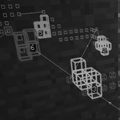
descriptionWatson is a Minecraft mod that displays LogBlock (and to a limited extent Prism and CoreProtect) logs in 3-D. It also has some features to make moderation tasks, such as observing chat and managing screenshots, a little easier. features
|
 Web Site Legacy Version |
|
supported minecraft versions1.12 1.11.2
1.11
1.9.4
1.9
1.8
1.7.10
1.7.2
1.11.2
1.11
1.9.4
1.9
1.8
1.7.10
1.7.2
|
|||
screenshotsNo screenshots available videosNo videos available |
|||
related mods
Better Animations Collection Revived 2by digitalshadowhawk |
|

|
The Better Animations Collection Revived mod seeks to enhance the Minecraft experience by reworking some of the in-game creature models to fit more and smoother animations. It aims to add a subtle effect to put a smile on your face.The Better Animations Collection Revived mod seeks to enhance the Minecraft experience by reworking some of the in-game creature models to fit more and smoother animations. It aims to add a subtle effect to put a smile on your face.
|
SlimeChunkInfoby Urushibara |
|

|
Displays whether the current chunk is a slime chunk in the Minecraft debug screen in single player.Displays whether the current chunk is a slime chunk in the Minecraft debug screen in single player.
|
Potion Colorizerby EasyMFnE |
|
|
Change the way potions are rendered and colored, for use with server plugins like McMMO or other plugins which give access to more advanced potion functionality.Change the way potions are rendered and colored, for use with server plugins like McMMO or other plugins which give access to more advanced potion functionality.
|
I got nothing






