Big Chat History |
by Cecer | ||

|
descriptionThis mod increases the amount of chat lines you can scroll up from 100 to 10,000. Great for getting screenshots of chat you might have missed!? |
 Web Site |
|
supported minecraft versions1.8 1.7.10 |
|||
screenshotsNo screenshots available videosNo videos available |
|||
related mods
SlimeChunkInfoby Urushibara |
|

|
Displays whether the current chunk is a slime chunk in the Minecraft debug screen in single player.Displays whether the current chunk is a slime chunk in the Minecraft debug screen in single player.
|
Taciturn Modby ChemicalStudios |
|
|
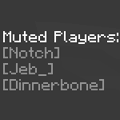
The Taciturn mod gives you the ability to mute/unmute anyone you want to on any multiplayer server, or singleplayer LAN server. Taciturn also automatically blocks repeated messages in chat, so you won't have to worry about spam as much.Taciturn was made to simply and easily make your Minecraft experience more enjoyable!The Taciturn mod gives you the ability to mute/unmute anyone you want to on any multiplayer server, or singleplayer LAN server. Taciturn also automatically blocks repeated messages in chat, so you won't have to worry about spam as much.Taciturn was made to simply and easily make your Minecraft experience more enjoyable!
|
ItemDashby Killjoy1221 |
|
|
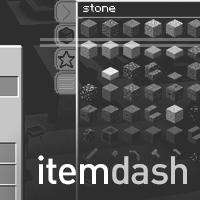
Quickly search for and get items in survival mode. Configurable for different server setups. Also allows option for survival pickblock. Quickly search for and get items in survival mode. Configurable for different server setups. Also allows option for survival pickblock.
|
I got nothing






